病院マップ

iPhone / iPad · iOS 16.0+

Hospitals and pharmacies,right on the map.

Find hospitals, clinics, dentists, midwifery homes and pharmacies across Japan by map, location or medical specialty, and check their hours for each day of the week.

Download on the App StoreFree (with ads and in-app purchases) · Japan App Store only

Scan with your iPhone

病院マップ

When it helps

What it does

  1. 01

    Color-coded map

    Hospitals, clinics, dental clinics, midwifery homes and pharmacies appear as pins colored by type.

  2. 02

    Nearby, as a list

    See each facility's distance from where you are and sort nearest first. Everything in the current map view can be compared in one list.

  3. 03

    Filter by specialty

    Narrow down by prefecture, facility type and medical specialty, or search by part of a name or address.

  4. 04

    Hours for every weekday

    Check opening hours and closing days for each day of the week, including patterns such as closed on the 2nd and 4th Saturdays.

  5. 05

    Beds and opening hours

    The details screen shows the address, phone number, number of beds for hospitals and clinics, and opening hours for pharmacies and midwifery homes.

  6. 06

    Data stored on your device

    Facility data is stored inside the app, so searching and viewing details work on an unstable connection. The map itself needs a connection.

In detail

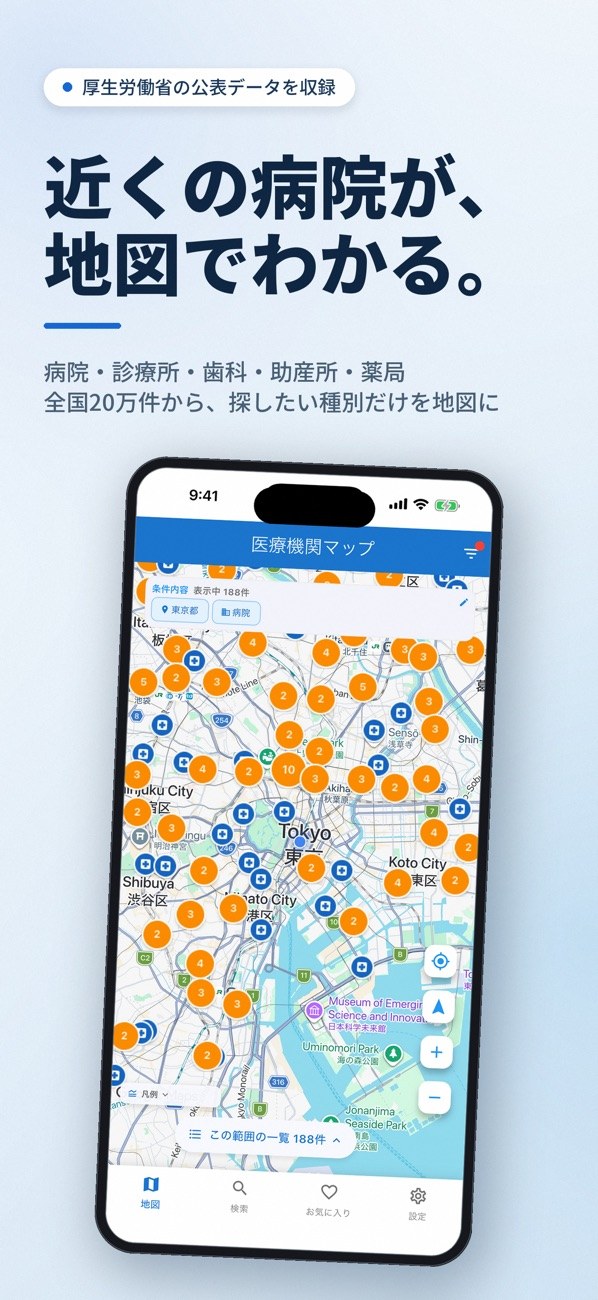
Five facility types, color-coded on the map
01

Five facility types, color-coded on the map

Hospitals, clinics, dental clinics, midwifery facilities and pharmacies are shown as pins, color-coded by type. Where the map gets crowded, pins are grouped into numbered badges. The number of facilities in view is shown at the bottom.

  • Five facility types on one map
  • Crowded areas are grouped into count badges
  • A legend at the lower left explains the pins
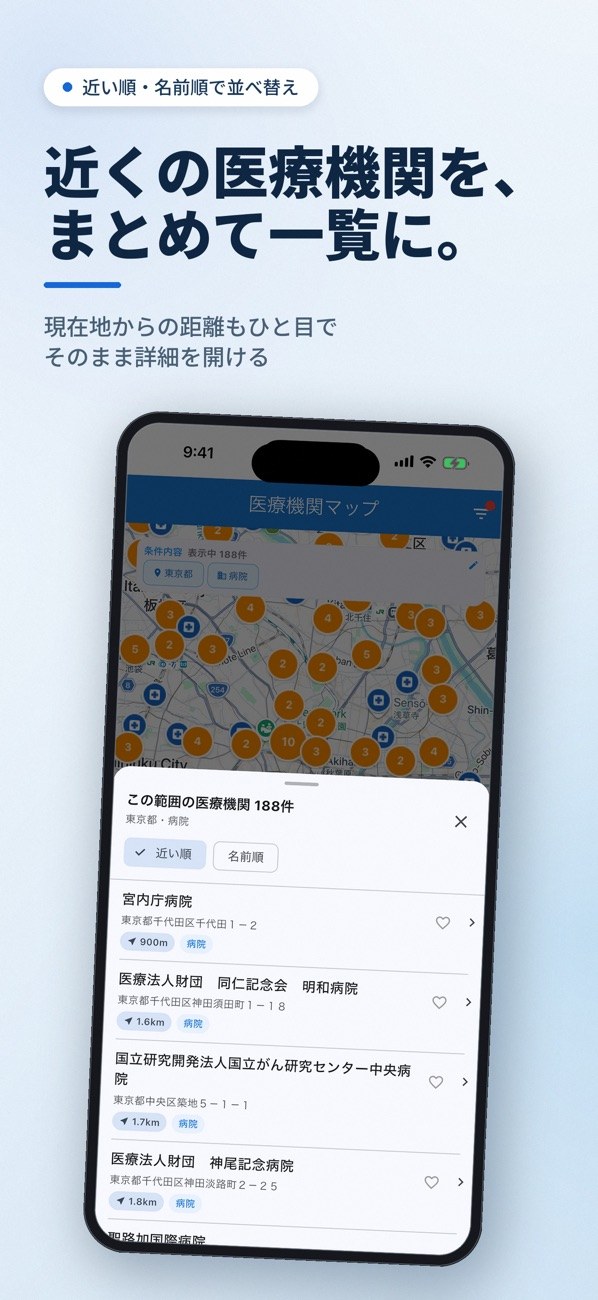
List what is on the map, nearest first
02

List what is on the map, nearest first

Turn the medical facilities in the current map view into one list. Each entry shows its distance from your location, and you can switch between nearest-first and name order. Open any entry to see its details.

  • Sort by distance or by name
  • Distance from your current location
  • Heart icon to add a favorite
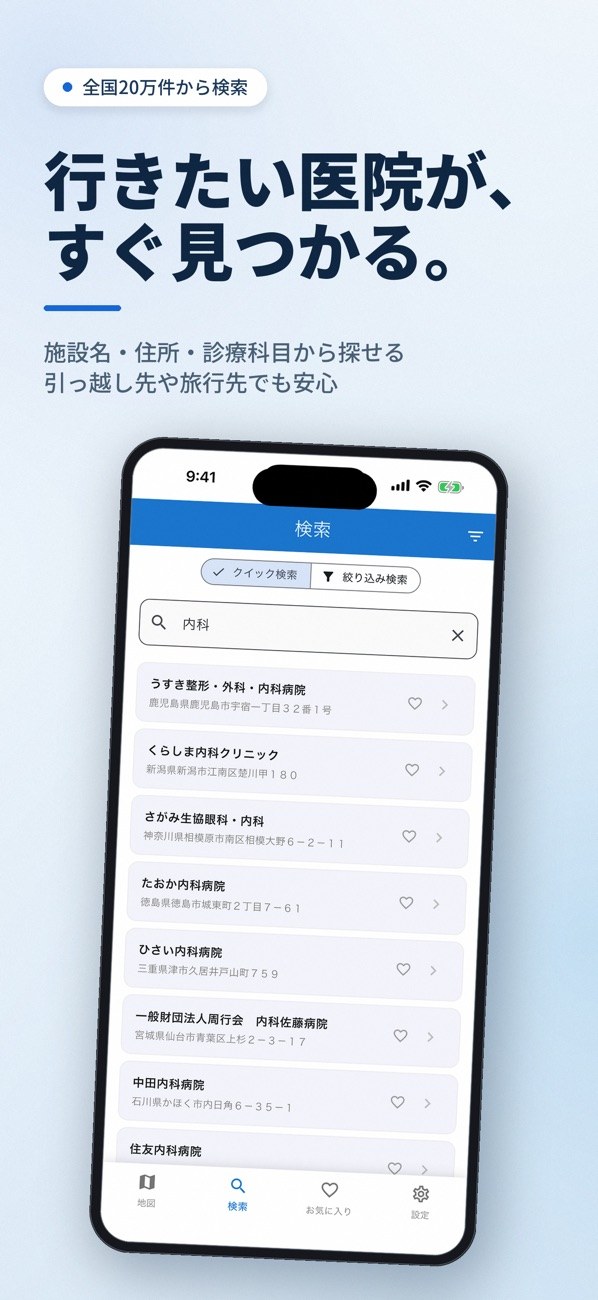
Search by name, address or specialty
03

Search by name, address or specialty

The Search tab lets you type part of a facility name or an address. You can switch between quick search and filtered search, and narrow results by medical specialty.

  • Keyword search on names and addresses
  • Quick search and filtered search
  • Address shown on each result
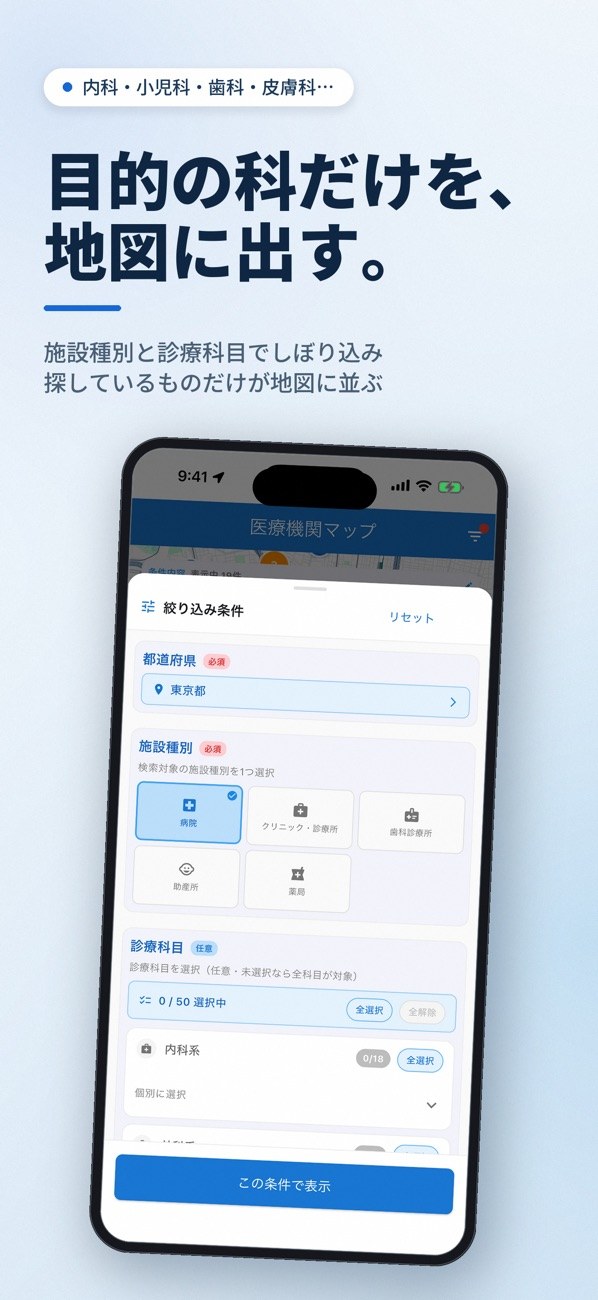
Narrow the map by facility type and specialty
04

Narrow the map by facility type and specialty

In the filter, choose a prefecture and a facility type. Specialties are optional; if you pick none, all of them are included. Tap "show with these conditions" and matching facilities appear on the map.

  • Prefecture and facility type are required
  • Types: hospital, clinic, dental clinic, midwifery facility, pharmacy
  • You can view the map without choosing a specialty
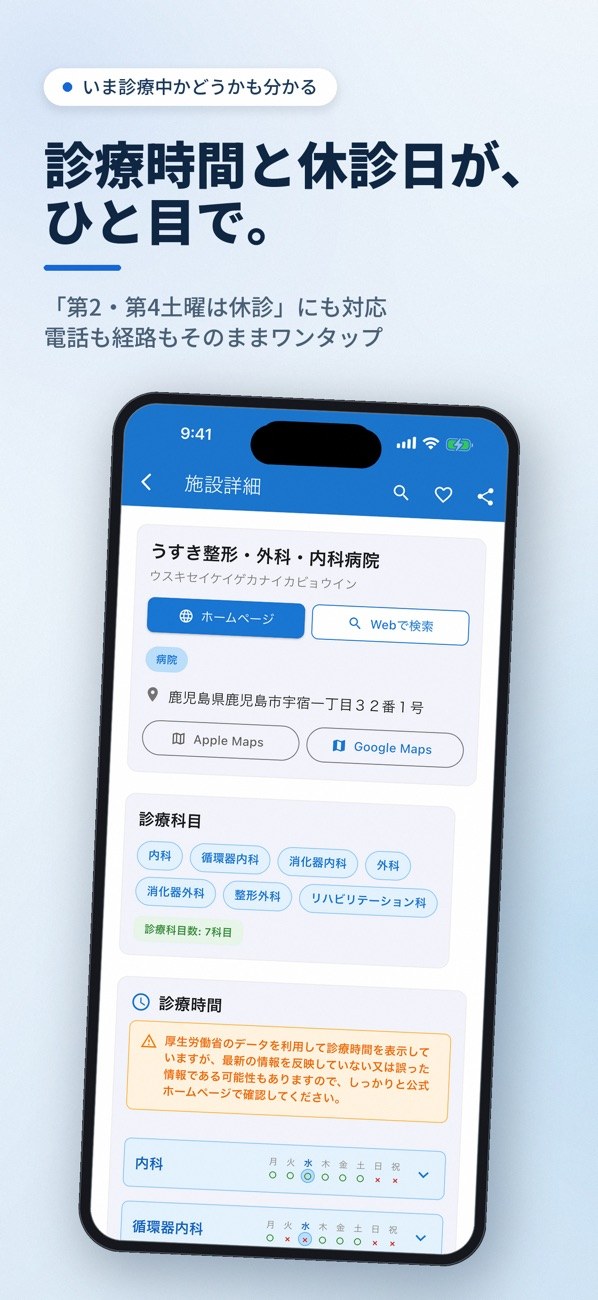
Weekly hours and closing days on one screen
05

Weekly hours and closing days on one screen

The details screen shows specialties along with opening hours and closing days for each day of the week. It also handles week-specific closures, such as "closed on the 2nd and 4th Saturday", and shows whether a facility is open now.

  • Hours from Monday to Sunday and holidays, per specialty
  • A notice that hours may not be current, asking you to check the official website
  • Address, phone number and number of beds (hospitals and clinics)
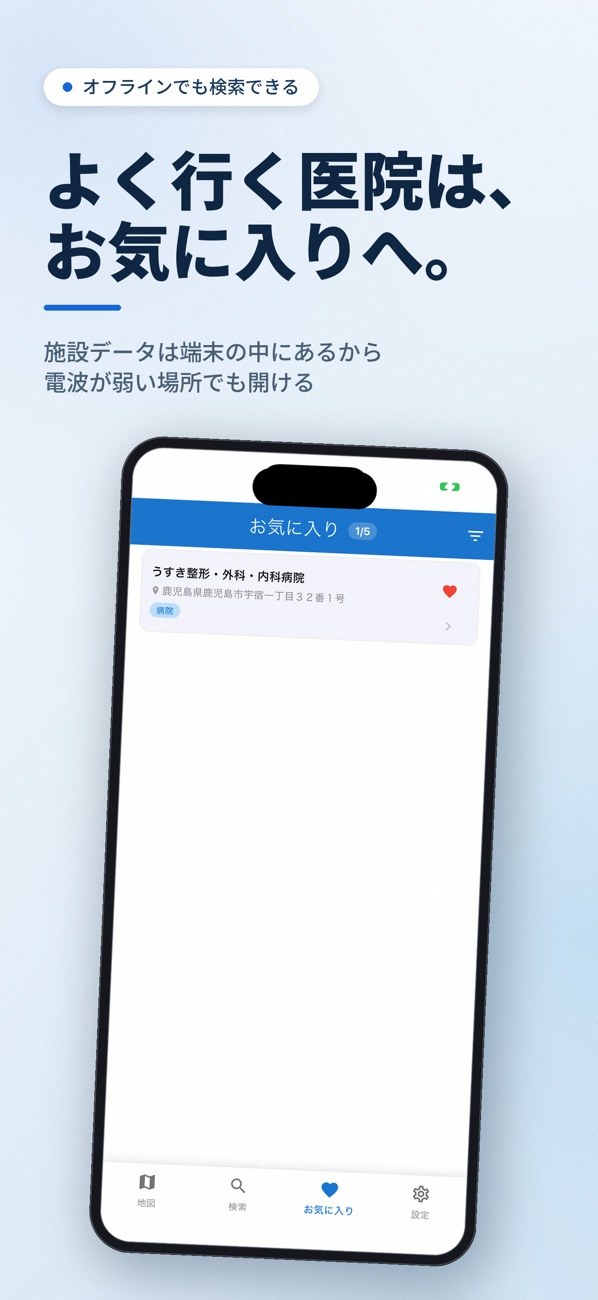
Save the places you visit often
06

Save the places you visit often

Facilities you save are gathered on the Favorites tab. The free plan holds up to 5, and the count is shown at the top of the screen.

  • All favorites on one tab
  • Filter by type or specialty
  • Favorites are kept when the data is updated

How it works

  1. 1
    Choose a prefecture and a type in the filter

    Choose a prefecture and a type in the filter

    Open the filter button at the top right of the Map screen, then pick a prefecture and a facility type. Choose a specialty only if you need one.

  2. 2
    Look at the pins and open the list

    Look at the pins and open the list

    Facilities that match your conditions appear as pins. Open "List of this area" to see them nearest-first or by name.

  3. 3
    Search by name or address

    Search by name or address

    Tap Search at the bottom and type part of a facility name or an address. The results appear as a list.

  4. 4
    Check hours and details

    Check hours and details

    Tap a facility to open its details screen, where you can check its specialties and opening hours.

  5. 5
    Tap the heart to save it

    Tap the heart to save it

    Tap the heart icon to add a favorite. Open the Favorites tab at the bottom whenever you want it back.

Screens

Pins colored by facility type
Facilities in view, nearest first
Search by name, address or specialty
Hours and closing days by weekday
Filter by facility type and specialty
Your saved facilities

FAQ

Where does the data come from?

It comes from the Ministry of Health, Labour and Welfare's open data from Iryo Joho Net (the medical information portal), used under the Public Data License v1.0 (PDL1.0). For facilities with no latitude and longitude values, the developer has added the coordinates.

What kinds of facilities are included?

The June 2026 edition has 7,715 hospitals, 80,155 clinics, 54,637 dental clinics, 2,138 midwifery facilities and 61,398 pharmacies, for a total of 206,043.

How current are the opening hours?

Hours are shown from the Ministry's data. The details screen carries a notice that the information may not reflect the latest changes or may be incorrect, and asks you to check the official website. In the June 2026 edition, dental clinic hours were updated to the latest data.

Can I use it in an emergency?

In an emergency, call 119 or go to an emergency department. The app is for information only and does not provide medical advice or diagnosis. Hours and closing days can change, so please confirm with the facility before you go.

Does it work without an internet connection?

Facility data is stored inside the app, so searching and viewing details work even on an unstable connection. Displaying the map itself needs a connection.

Does it cost anything?

The app is free, and you can search medical facilities across Japan. It shows ads and offers in-app purchases. The Premium plan hides ads, removes the favorites limit (the free plan holds 5), removes the limit on search results shown, and adds sharing of facility information.

Does it use my location?

The app may ask for location permission so it can search around where you are and show distances from your location.

Which devices are supported?

iPhone and iPad, running iOS 16.0 or later.

Check the hours before you go.

Download on the App Store
病院マップGet